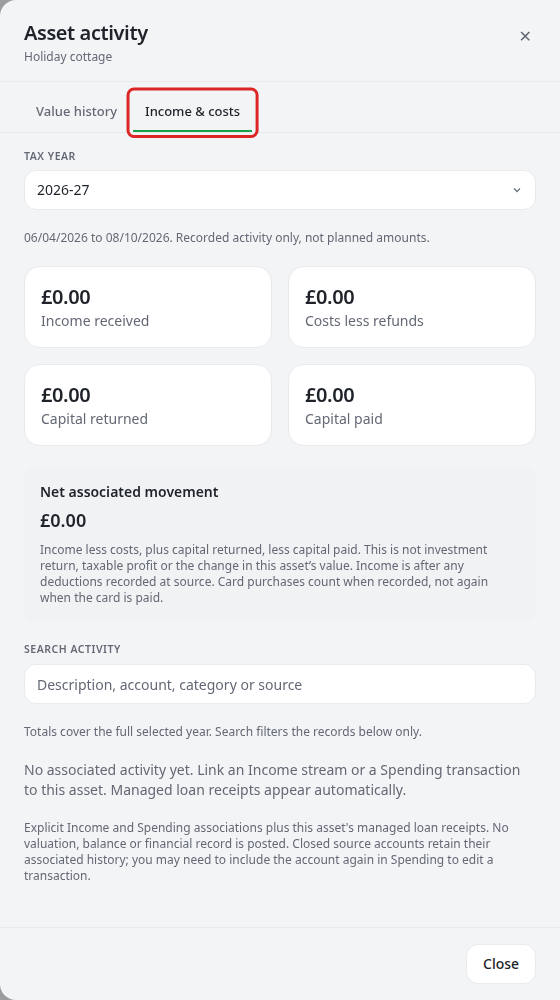
See an asset's income and costs
Bring linked activity together for an asset without posting extra income or spending.
Open the activity
- In Assets, select the item's row, then choose Value, income & costs.
- Choose Value history for recorded daily values.
- Choose Income & costs and select the year.
- Use View in Income or View in Spending to inspect the original record.
To include an item, associate its Income stream or Spending transaction with the asset. Managed loan receipts already belong to their linked loan asset.
Income is cash after recorded deductions. Capital returned is separate. Refunds reduce costs. Net associated movement includes capital movements but is not investment return, taxable property profit or a change in valuation.
Company activity reflects explicit links to the company's currently owned assets at full company amounts. It is not all turnover or your ownership-weighted share.
Investigate a gap
Unconfirmed, excluded, inconsistent or unsupported-currency records are explained rather than silently counted. Closed accounts can retain associated history; include the source again if needed to edit a Spending item.
Search narrows the table, not the year's totals. Load 20 more reveals further records. Daily value history begins with recorded snapshots and does not invent earlier dates.