Check the tax rules Fieldwell uses
See each UK tax rule Fieldwell applies in Settings → Tax rules, with its value, what it affects, its gov.uk source and when it was last checked.
Open Settings → Tax rules to see each UK tax rule Fieldwell applies, its value, what it affects, its gov.uk source and when it was last checked.
See the rules
- Open Settings.
- Under Household, select Tax rules.
- If more than one year is recorded, choose a Tax year. The current year is marked (current).
- Read each card: Income tax, ISAs and Gift Aid.
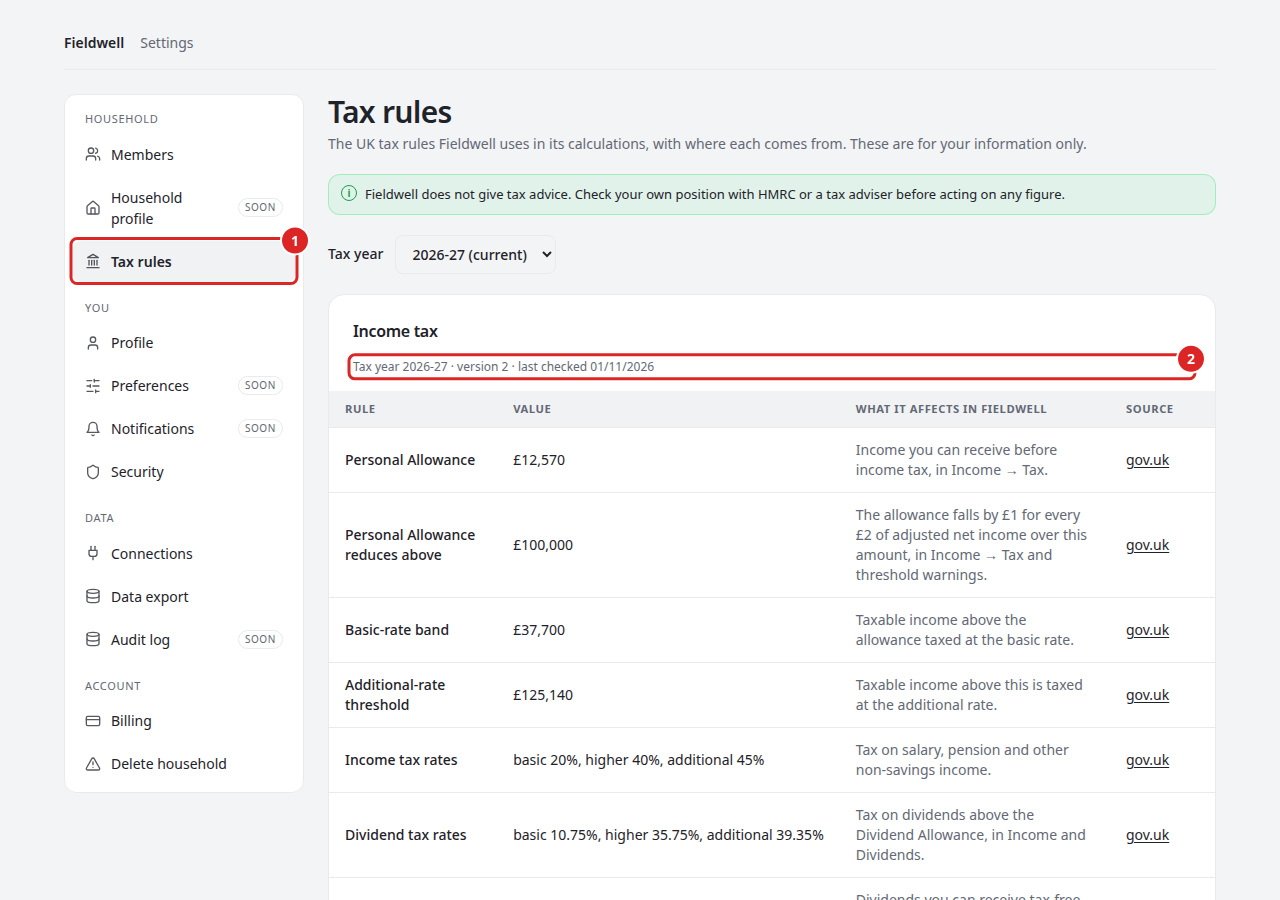
Each row shows the Rule, its Value, What it affects in Fieldwell and its Source. On a phone, the same details are stacked under each rule.
Anyone can see the same rules without signing in at fieldwell.money/tax-rules. Both are built from the same rule data, so they always match.
Every member of the household can view this page, including read-only members. Nobody can change the rules here. Fieldwell updates them in a release after checking gov.uk.
Read the version and check date
Under each card title you will see the tax year, the version number and the date the rules were last checked against gov.uk, shown as DD/MM/YYYY.
- In the notice, updated followed by a date and not yet verified against gov.uk means Fieldwell recorded that version on that date but has not recorded a gov.uk check.
- not yet verified against gov.uk on its own means Fieldwell has no recorded check date for that rule set yet. Check the figure on gov.uk before relying on it.
- Source not recorded means no gov.uk page is stored for that rule. The value is still the one Fieldwell uses.
- A new version number means the rules were corrected or updated.
Fieldwell's supported personal estimates use these rules for England, Wales and Northern Ireland. Scotland has its own income tax rates, which Fieldwell does not support yet.
The tax rules notice
The first time you sign in, a short notice at the top of the page lists the tax rules Fieldwell uses for the current tax year and when each was last checked against gov.uk.
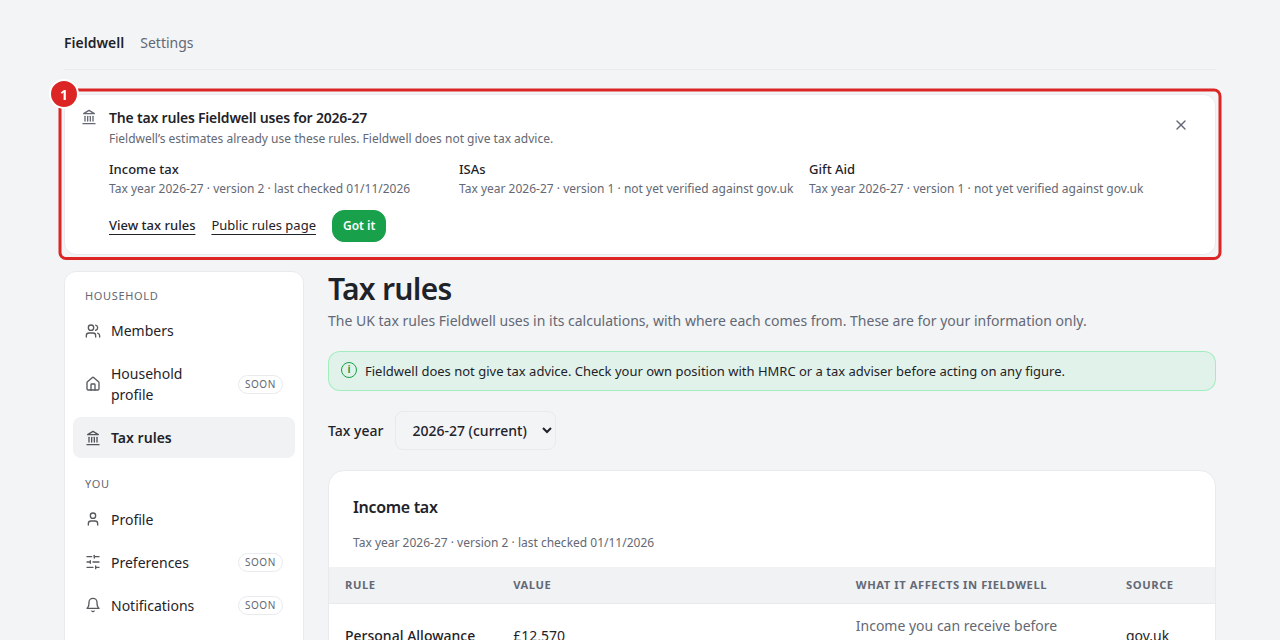
- Read the notice. After a rule update or at the start of a new tax year it lists each changed value, old and new.
- Select View tax rules to open Settings → Tax rules, or Public rules page to see them on fieldwell.money.
- Select Got it or × to dismiss it.
Once dismissed, the notice stays hidden until a rule changes or a new tax year starts. Each member dismisses it for themselves. Fieldwell's estimates use the rules in force whether or not you have read the notice.
Before you act on a figure
Fieldwell does not give tax advice. These rules drive Fieldwell's estimates only; your own position may differ, for example if you have income Fieldwell does not hold. Check with HMRC or a tax adviser before acting.