Connect, renew or disconnect a bank feed
Connect a bank from Assets, choose the one account to add or match it to a manual account, check the connection, disconnect a feed while keeping the history, and remove a connection that no longer feeds any account.
A bank feed keeps one cash account's balance up to date from your bank. Each bank link adds one account, which you choose.
Add a new bank account
- Open Assets → Connect a bank. You need the owner or member role; viewers cannot connect banks.
- Continue to TrueLayer, choose your bank and authorise it.
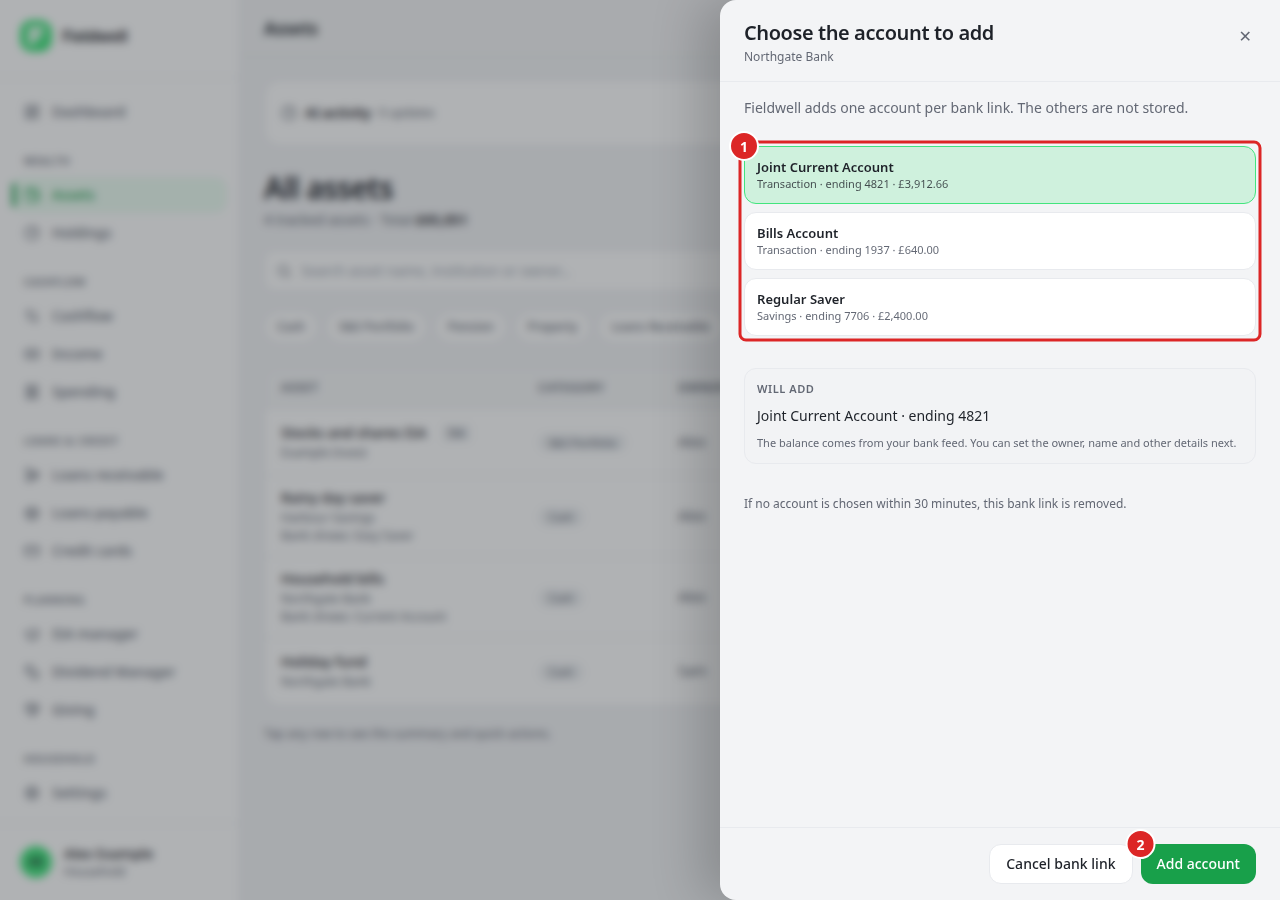
- Back in Assets, choose the account to add. Each shows its type, last four digits and balance.
- Select Add account, then set the owner, a name you recognise and other details, and save. Until then, the row shows Needs details.
Fieldwell stores only the account you choose. If you do not choose within 30 minutes, the bank link is removed. Cancel bank link removes it straight away.
Feed an account you already added
If you recorded a cash account by hand, feed it instead of adding a second one.
- Open the account's Actions → Connect a bank feed, or Connect a bank feed in its edit panel.
- Authorise your bank, then pick the matching bank account and select Attach feed.
The same record now updates from the bank and keeps its earlier balances. A bank account already linked to another asset cannot be attached twice.
Check a connection
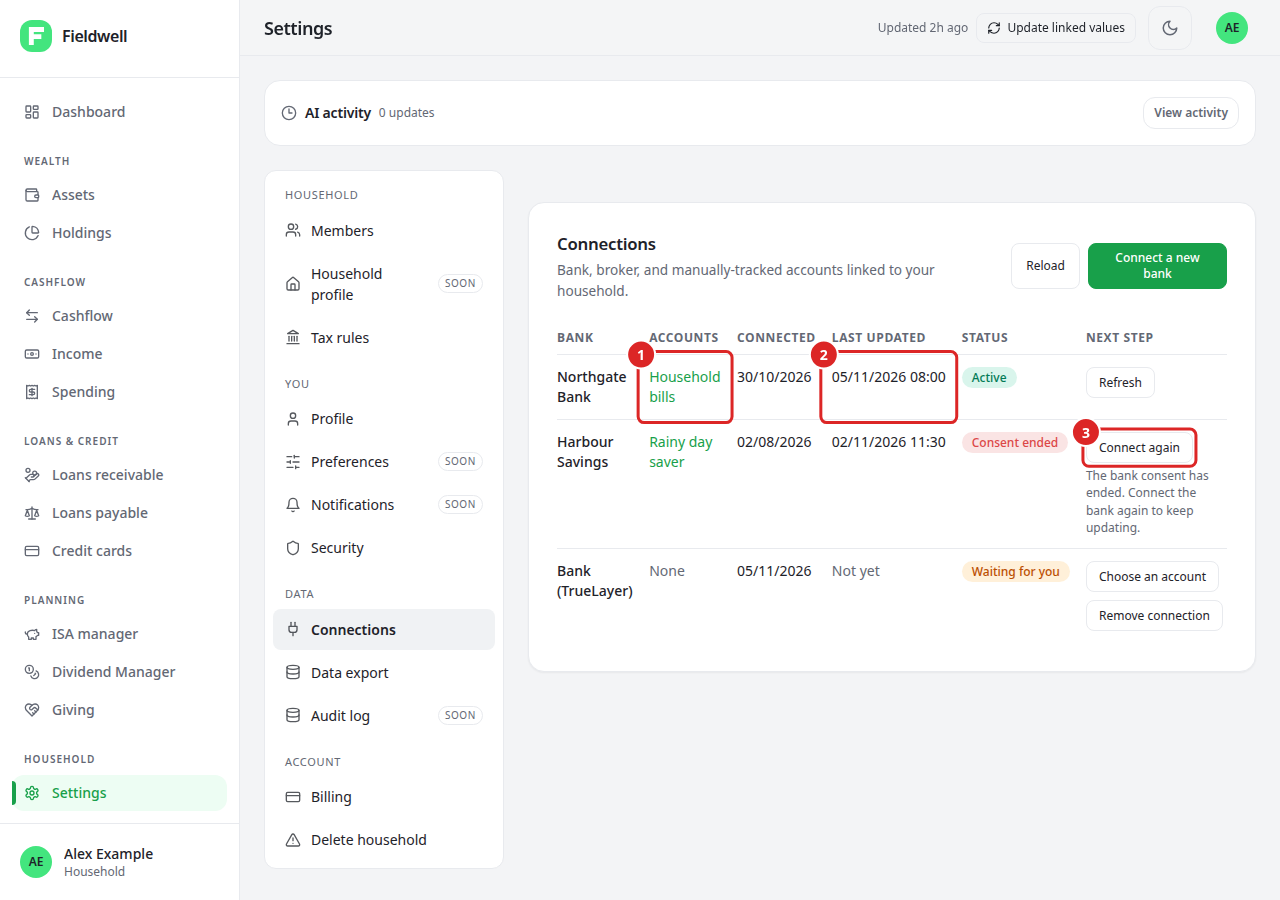
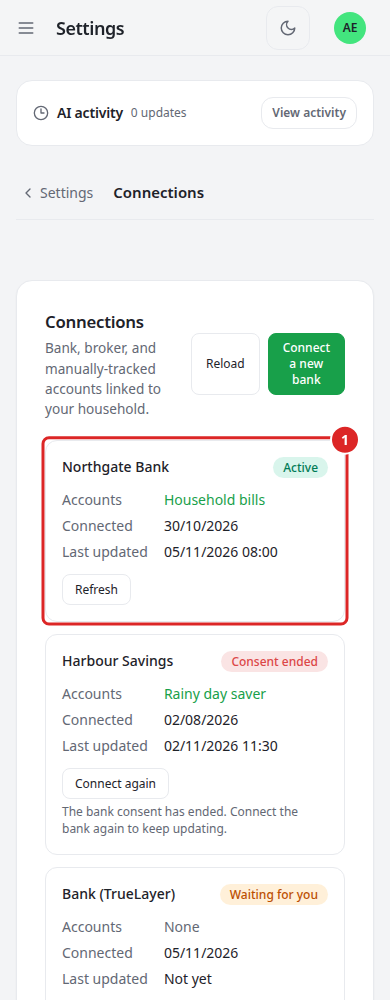
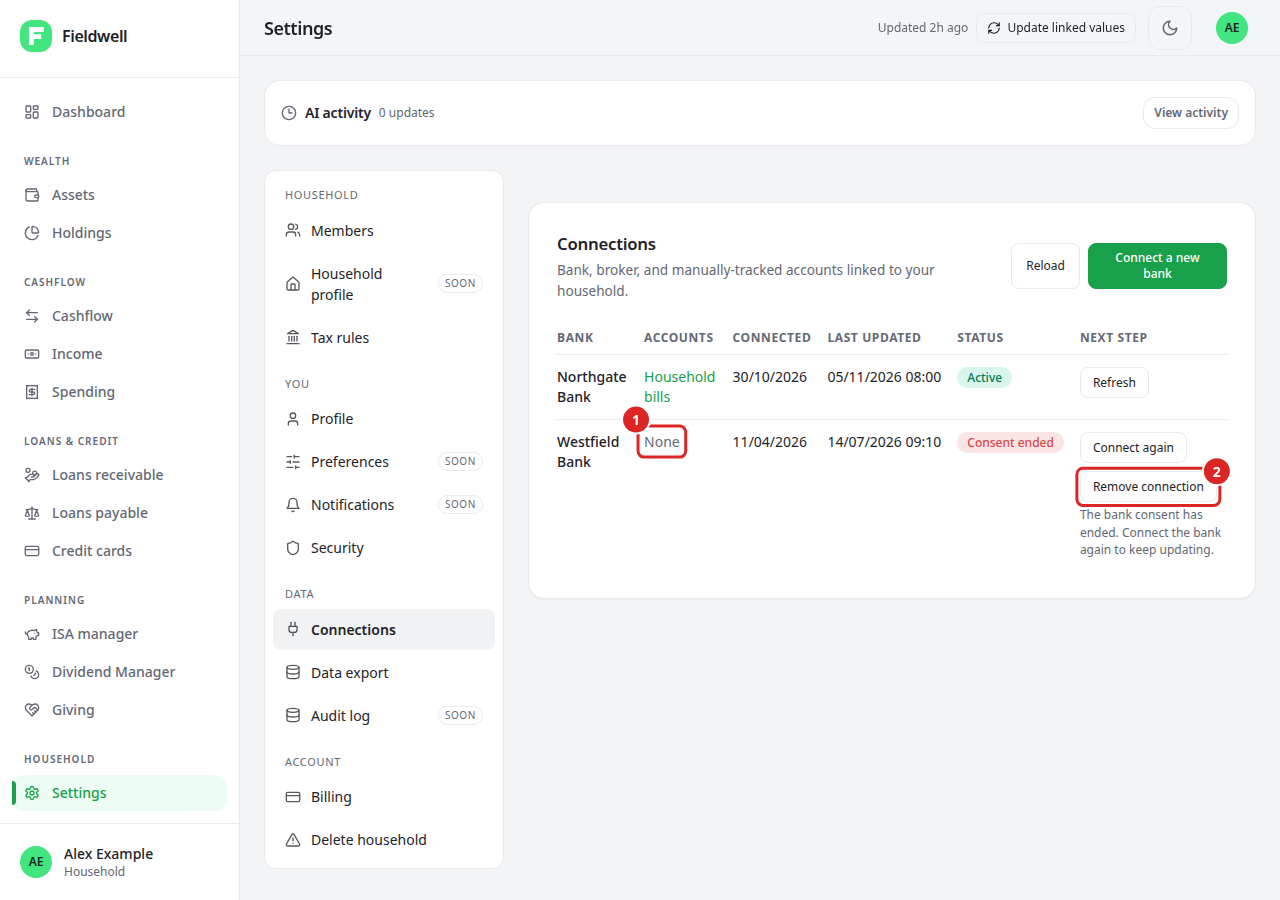
Open Settings → Connections to see each bank, the accounts it feeds, when it was connected and last updated, its status and the next step:
- Refresh fetches the latest balance.
- Choose an account means a bank link is still waiting for you.
- Connect again means the bank consent has ended or no account was chosen.
- Remove connection clears a connection that feeds no account.
If the bank reported when your consent ends, the connection and the account panel show Renew by with that date. Connect again before then.
In Assets, a bank feed not updated for 48 hours shows stale and says what to do.
Disconnect a feed
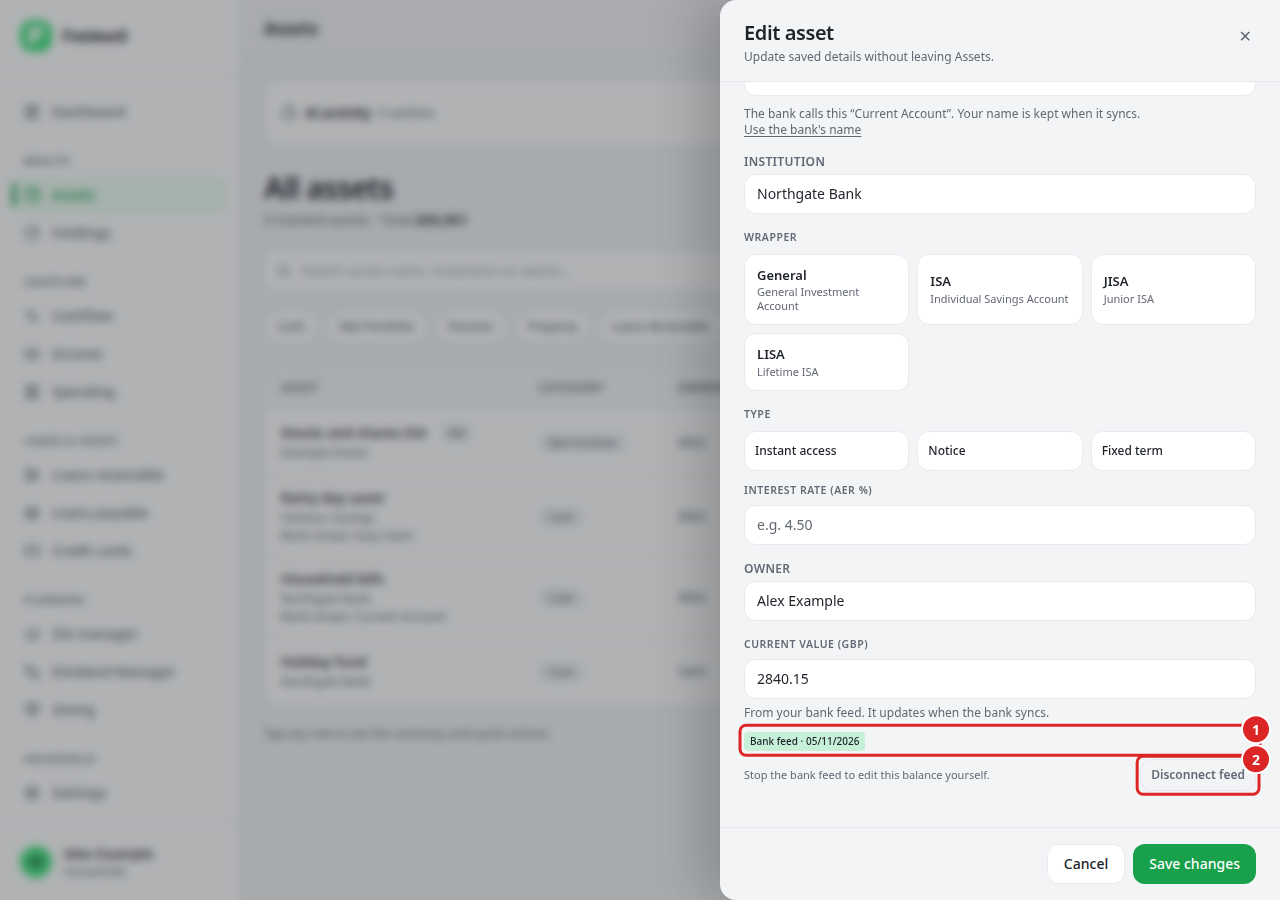
- Open the account's Actions → Edit.
- Select Disconnect feed and confirm.
The account becomes manual and keeps its balances and transactions, and you can edit the balance yourself. If no other account uses that bank connection, Fieldwell also asks TrueLayer to end the consent. Local removal is not confirmation that the bank has cancelled it. Wise API tokens must be removed in Wise itself.
Remove a connection you no longer need
- Open Settings → Connections. You need the owner or member role.
- Find the connection showing None under Accounts.
- Select Remove connection and confirm.
It disappears and never updates again. If its consent was still active, Fieldwell asks TrueLayer to end it. Accounts, balances and transactions are unchanged. A connection that still feeds an account needs Disconnect feed on that account first.
If it fails
Start again from Fieldwell if you changed household, browser or sign-in. A connection request expires after ten minutes; do not share the return link. If the bank shared no accounts, link again and choose the account to share. If bank linking is unavailable before TrueLayer opens, nothing has changed; contact support instead of retrying.