Accept updated Terms or Privacy Notice at sign-in
When Fieldwell's Terms of Service or Privacy Notice changes, you are asked to read what changed and accept it after your security check, before you can continue.
When Fieldwell publishes a new version of its Terms of Service or Privacy Notice, you are asked to accept it the next time you sign in. Fieldwell does not send an email about this; you will see it on the sign-in screen.
Why you are asked
Your account is linked to the versions you accepted. When a new version becomes current, anyone signed in who has not accepted it is signed out, and the We've updated our Terms step appears after your security check on your next sign-in. If both documents changed, both are listed and one tick accepts both.
Accept the update
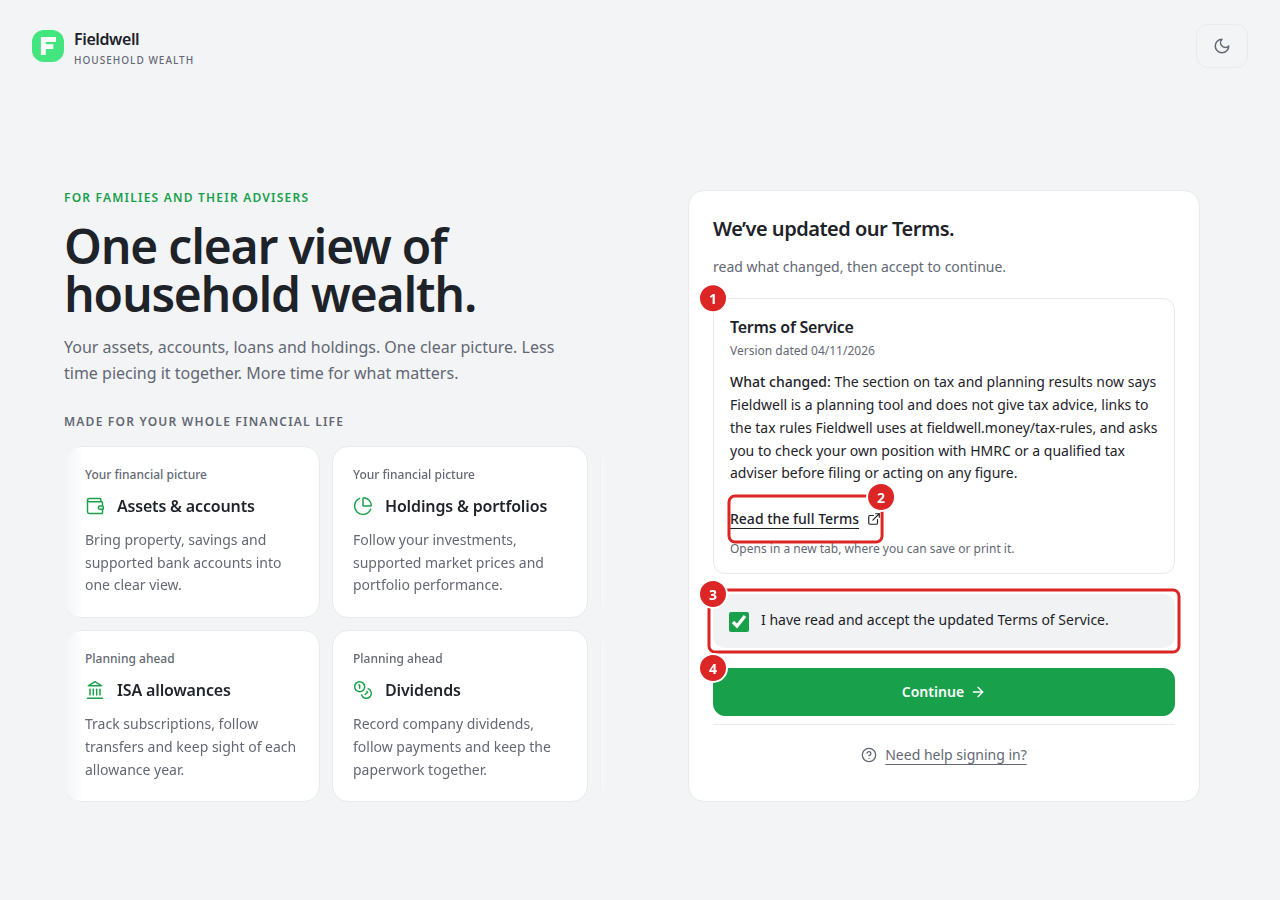
- Read the card for each document. It shows the document name, the date of the version and What changed.
- Select Read the full Terms or Read the full Privacy Notice to open the full text in a new tab, where you can save or print it.
- Tick I have read and accept the updated Terms of Service. If both documents are listed, the box reads I have read and accept the updated documents above.
- Select Continue. Fieldwell records your acceptance and finishes signing you in.
Continue stays unavailable until the box is ticked. Fieldwell records which version you accepted and when; it does not record your IP address or browser.
If you do not want to accept
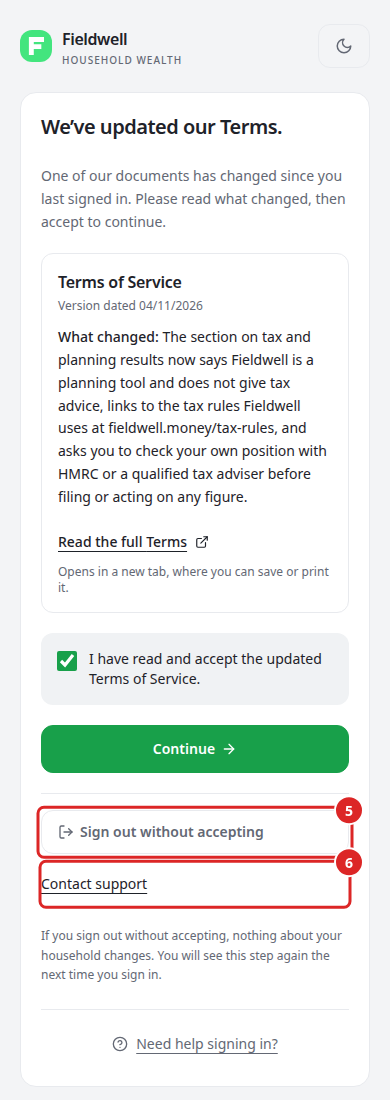
- Select Sign out without accepting. You are signed out and nothing about your household changes. You will see this step again the next time you sign in.
- Select Contact support if you have a question about the change before deciding.
You cannot use Fieldwell until the current versions are accepted. If you want to stop using Fieldwell instead, see Export or delete your household.